What is Study Mode in ChatGPT? And how it can make your learning easy
Published on
Do you remember the time before 2022, when people rarely talked about AI? But everything changed when OpenAI announced their ChatBot ChatGPT.
Now it’s 2025, and we are already using GPT-5. Apart from this, OpenAI has also recently announced a new feature called Study Mode in ChatGPT. In this article, I will talk about what Study Mode is, and we will ask some questions to compare its answers in normal mode and study mode.
What is Study Mode in ChatGPT?
Study Mode in ChatGPT is a recently introduced tool by OpenAI. It is designed especially for students and learners who want to focus on their studies.
Unlike normal mode, where ChatGPT gives general answers to your questions and often leaves you with confusion, Study Mode works differently.
In normal mode, the chatbot does not know your level of knowledge about the topic unless you mention it in the custom settings or your prompt.
But in Study Mode, ChatGPT explains topics in a more detailed, simple, and structured way, just like a personal tutor.
Another important thing is that Study Mode first tries to understand your expertise on the topic before going deeper. At the end of each response, it may also ask one or more questions to check your understanding and keep the learning interactive.
How to Access Study Mode in ChatGPT?
Accessing Study Mode in ChatGPT is very simple. Just follow these steps:
1. Open ChatGPT.
2. Click on the Tools menu.
3. Select Study and Learn.
Once you click, ChatGPT will open a new chat window where you can interact with it in Study Mode. From there, you can start asking follow-up questions and explore topics in a structured way. You can also go back to normal mode anytime by clicking on New Chat or simply pressing CTRL + Shift + O on your keyboard.
How Study Mode Makes Learning Easy?
The best way to understand Study Mode is by comparing it with Normal Mode. Here, I will ask the same question in both modes and show you the difference in their responses.
Example 1: Digital Marketing
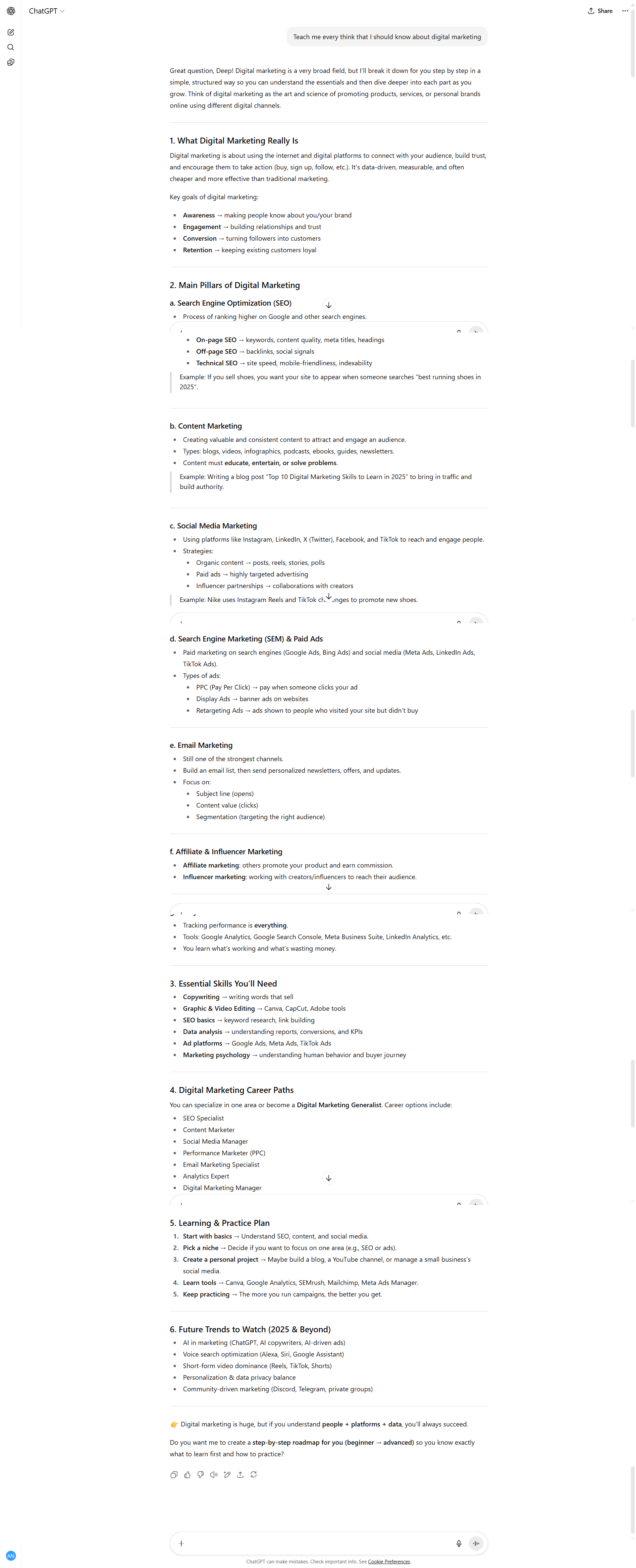
Read the full chat here
In my first example, I asked the following question in ChatGPT: Teach me everything that I should know about digital marketing.
In Normal Mode, ChatGPT gave me a long response filled with sections like What Digital Marketing Really Is, Main Pillars of Digital Marketing, Essential Skills You’ll Need, Digital Marketing Career Paths, and so on.
What you will notice here is that it gave me a bulk of information without first knowing what I already know about digital marketing, or why I even want to learn it. This left me confused, because the text was too much and not customized to my level.
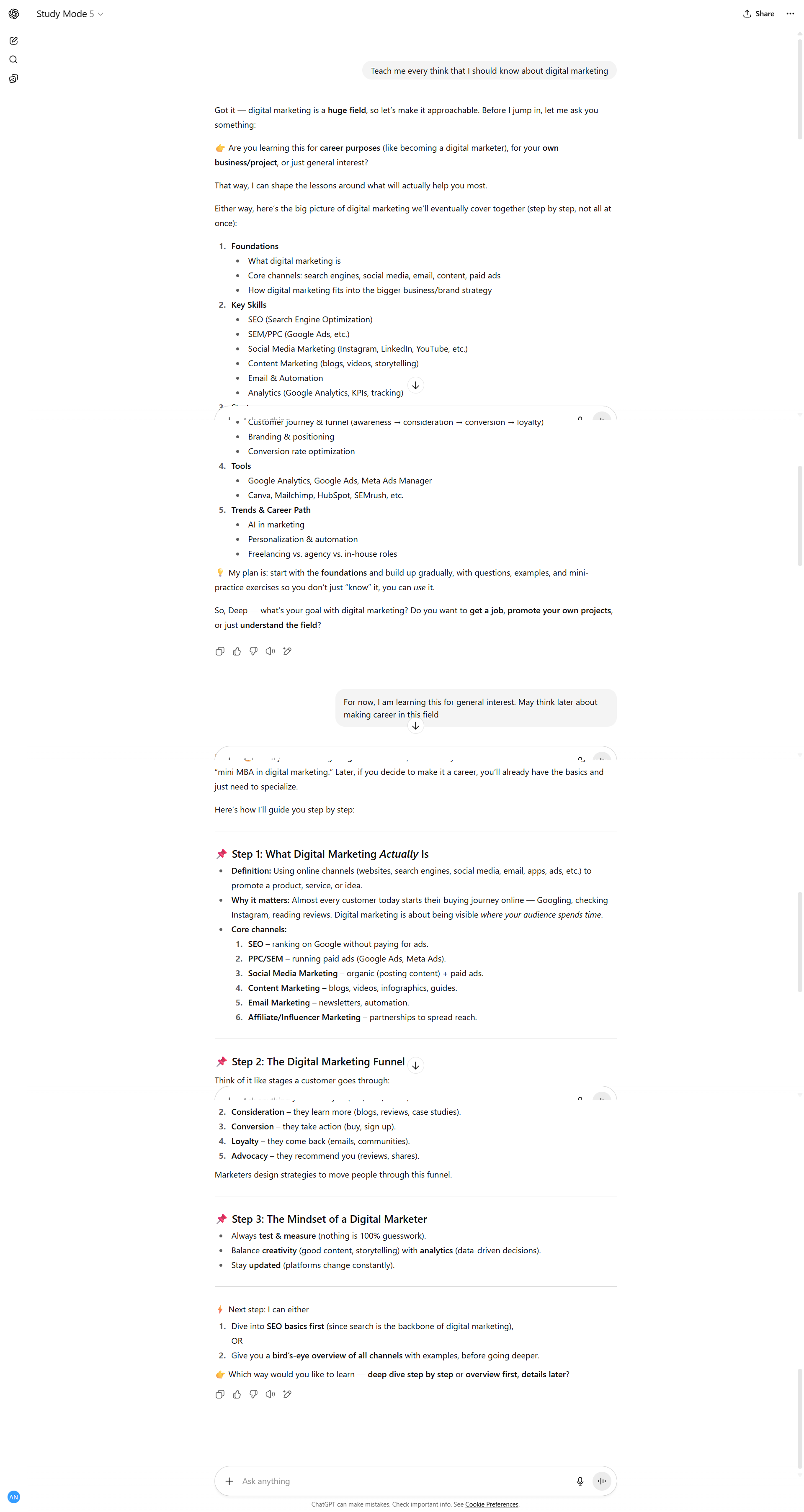
In Study Mode, on the other hand, I asked the same question. Instead of directly giving me a general answer, the chatbot first asked me why I am learning digital marketing?
Since this is a huge field, it also asked me which specific area I am more interested in before going deeper.
To continue the chat, I told it, “For now, I’m learning this out of general interest. I might think about a career in this field later.” In response, the bot started building a learning path for me. It also asked a clear preference question: should we go step by step in detail, or begin with an overview first and add details later?
So, as much as I keep asking it questions, it also asks me one or two questions at the end of each response. This helps to check whether I am really understanding the topic, and sometimes it also asks relatable questions to connect the concept with my learning.
Example 2: Cloud Computing:
For the second example, I asked the question: I am doing B.Tech. Tell me what is Cloud Computing?
In Normal Mode, ChatGPT gave me a detailed but general answer. It explained that cloud computing is the delivery of services like storage, servers, networking, and software over the internet instead of maintaining physical hardware. It also listed advantages like cost-effectiveness, scalability, accessibility, and reliability, and explained service models such as IaaS, PaaS, and SaaS.
Although this explanation was correct, it felt like reading a mini textbook. The answer was too formal and gave information in bulk without considering my background or why I was asking the question.
In Study Mode, the chatbot answered in a very different way. Since I had mentioned that I am a B.Tech student, it gave me a more technical yet student-friendly explanation. It said:
“Cloud computing means using someone else’s computers (servers) over the internet to store data, run programs, or provide services.
Think of it like electricity—you don’t build your own power plant, you just plug into the grid. Similarly, companies like AWS, Microsoft Azure, or Google Cloud provide these services on demand.”
At the end, it also checked my understanding with a relatable question:
“If you stream a movie on Netflix or use Google Drive, do you think your laptop is doing all the heavy work, or is the cloud handling it?”
This shows the real difference.
- Normal Mode gave me a lot of information in one go.
- Study Mode explained the concept step by step, used analogies, and asked me a question to make sure I understood.
That is why Study Mode makes learning interactive, easier, and much more engaging.
Is this mode really perfect?
Well, before judging, we should remember that this feature is still new and in the process of developing.
In the pros, Study Mode removes many barriers. It saves the cost of heavy college fees, reduces the need to travel from home to campus, and saves a lot of time. It also gives you personalized answers and makes learning more flexible. All you need just an internet connection and a mobile phone or a computer.
On the cons side, it cannot fully replace the human touch. Sometimes you may feel isolated, because learning is not only about reading or listening to answers.
A big part of education comes from being with friends, teachers, and face-to-face discussions.
So, Study Mode is not perfect, but it is definitely a big step forward. With time, as it improves, it can become a strong support system for students all around the world.
Let me know what do you feel after using this interesting tool.
That's all for now.
Thanks for reading,
Have a great learning.